BOARD GUIDE · 3D ROBOTICS SIMULATOR
Arduino Uno R3 simulator and pin guide
The Arduino Uno R3 is a beginner-friendly 5 V microcontroller board built around the ATmega328P. Its familiar USB-B connector, labeled headers and huge library of examples make it a practical first platform for robotics, classroom electronics and sensor projects.
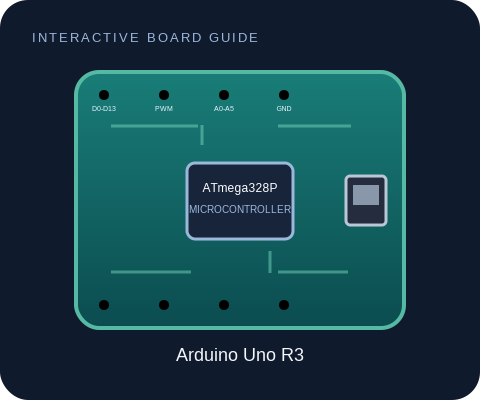
Arduino Uno R3 specifications
These core specifications help you decide whether the Arduino Uno R3 fits your robotics project. Compare processor speed, available memory, I/O count, analog support, wireless connectivity and logic voltage before choosing sensors or motor-control hardware.
| Microcontroller | ATmega328P |
|---|---|
| Clock speed | 16 MHz |
| Flash | 32 KB |
| RAM | 2 KB |
| GPIO | 14 digital + 6 PWM |
| Analog inputs | 6 × 10-bit |
| Wireless | None |
| Logic voltage | 5 V |
| Typical board price | ≈ $25 |
Arduino Uno R3 pinout and voltage guide
Digital pins D0–D13 handle switches, LEDs and motor-driver signals; D3, D5, D6, D9, D10 and D11 support PWM. A0–A5 read analog sensors, while A4/A5 also carry I²C SDA/SCL. On the Uno R3, A4 and A5 are shared with the I²C SDA and SCL bus, so check the bus labels before treating them as ordinary analog inputs.
- Digital I/O: D0–D13, with six PWM outputs
- Analog inputs: A0–A5; A4/A5 are shared with I²C
- Power: USB 5 V or regulated 7–12 V input
- Use a motor driver and common ground for motors
Plan a wiring workflow for Arduino Uno R3
On an Uno, pins 0 and 1 are also the USB serial connection, so leave them free while uploading or using Serial Monitor. D13 is connected to the onboard LED, which makes it a useful first output test. A4 and A5 are shared with I²C, and the six PWM pins are useful for dimming an LED or sending a speed command to a motor driver.
First project using Arduino Uno R3
A good first Uno robot is a two-wheel obstacle avoider. Read a distance sensor, compare its measurement with a safe threshold, then send direction and speed signals to a motor driver. The driver supplies motor current; the Uno handles the decision logic. Power the motors separately and connect the supply ground to Uno GND so the control signal has a reference.
Arduino Uno R3 comparison and alternatives
Compared with a Nano, the Uno uses more desk space but has large sockets, a USB-B connector and broad shield support. It is often easier to learn on because its headers are clearly separated and many classroom diagrams use the same layout. When a project outgrows its 14 digital pins or 2 KB of RAM, the Mega is the straightforward wired upgrade. Compare Arduino Uno R3 with Arduino Nano.
Arduino Uno R3 troubleshooting
If an upload fails, disconnect anything wired to D0/RX and D1/TX, then confirm the selected board and serial port in the IDE. If a 3.3 V sensor gives unstable readings, check its supply and signal compatibility instead of moving it to another 5 V input. A motor that resets the board usually points to a shared or undersized power source; use a motor driver and separate supply.
What can you build with Arduino Uno R3?
Choose the Uno for a first line follower, obstacle-avoiding robot or servo arm when you want broad tutorial support and direct breadboard wiring. It is also the free complete course in Robotics Lab, including the lesson, workbench, quiz and assembly exercise.
Build an obstacle-avoiding car: read a distance sensor, choose a turn when an object is near, and send direction and PWM signals through a motor driver. Keep motor power separate from the Uno and connect the grounds.
Arduino Uno R3 simulator: limits and safe wiring
Its 2 KB of RAM and lack of wireless networking are real constraints. Motors and servos need a driver and separate supply; 3.3 V sensors should not be connected directly to 5 V signal pins. For a power project, compare the regulator and input-power specifications for your Uno R3 with earlier board revisions; regulator parts and thermal behavior can differ.
Explore this board in the Robotics Lab App
The free board explorer shows a rotatable 3D model with component labels. Open the full interactive Arduino Uno R3 lesson for board anatomy, quiz and assembly activities; the Uno R3 course is free, and a one-time course pass unlocks the other seven board courses.
Open Arduino Uno R3 in the 3D simulatorBrowse all eight Arduino, ESP32 and Raspberry Pi board guides