BOARD GUIDE · 3D ROBOTICS SIMULATOR
ESP32 DevKit V1 simulator and pin guide
ESP32 DevKit V1 combines a dual-core ESP32 module with Wi-Fi and Bluetooth, USB programming and a row of breakout pins. It is a strong step up when a robotics project needs wireless control, telemetry or more processing than an 8-bit Arduino can provide.
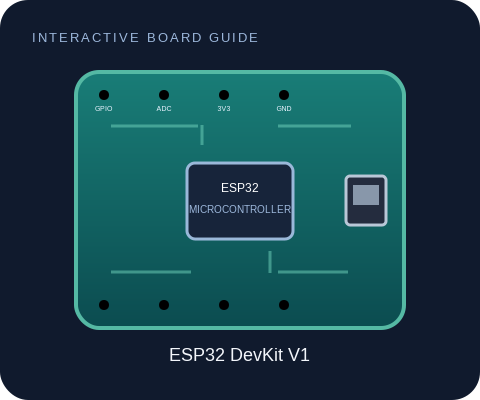
ESP32 DevKit V1 specifications
These core specifications help you decide whether the ESP32 DevKit V1 fits your robotics project. Compare processor speed, available memory, I/O count, analog support, wireless connectivity and logic voltage before choosing sensors or motor-control hardware.
| Microcontroller | ESP32, dual-core LX6 |
|---|---|
| Clock speed | 240 MHz |
| Flash | 4 MB |
| RAM | 520 KB |
| GPIO | 25 usable |
| Analog inputs | 15 (12-bit) + 2 DAC |
| Wireless | Wi-Fi + Bluetooth |
| Logic voltage | 3.3 V |
| Typical board price | ≈ $5 |
ESP32 DevKit V1 pinout and voltage guide
GPIO numbers are not identical to header position. Many pins support PWM, SPI, I²C and UART through the GPIO matrix; ADC-capable pins read analog sensors. Avoid input-only pins for outputs and check boot-strapping pins before attaching circuits. On classic ESP32 variants, ADC2 channels can conflict with active Wi-Fi; select compatible ADC1 pins when wireless networking must stay on.
- 3.3 V GPIO: never apply 5 V directly
- Wi-Fi and Bluetooth are built in
- Confirm boot-sensitive and input-only GPIO pins
- Use a separate motor supply with shared ground
Plan a wiring workflow for ESP32 DevKit V1
ESP32 header labels and GPIO numbers are easy to confuse. Check the exact DevKit V1 pinout, avoid input-only pins for outputs, and take care with GPIOs that set boot mode. The ADC offers useful sensor inputs, but on classic ESP32 variants some ADC2 channels conflict with active Wi-Fi. Use ADC1 channels for analog readings when wireless connectivity must remain on.
First project using ESP32 DevKit V1
A Wi-Fi rover is a strong ESP32 learning project: host a small control interface, read a distance sensor and command a motor driver from the same board. Start with a local network and a low-speed test before adding remote access. Keep motor power off the ESP32 regulator, add suitable decoupling near the driver and confirm that the motor supply ground is connected to ESP32 ground.
ESP32 DevKit V1 comparison and alternatives
ESP32 is a more capable wireless controller than an Arduino Uno or Nano, with Wi-Fi, Bluetooth and a faster 32-bit processor. NodeMCU ESP8266 is often cheaper and simpler for a small Wi-Fi sensor, but the ESP32 provides more peripherals and processing headroom. Pico and Blue Pill are good wired alternatives when wireless radio is unnecessary. Compare ESP32 DevKit V1 with NodeMCU ESP8266.
ESP32 DevKit V1 troubleshooting
If the ESP32 will not boot after adding a sensor, disconnect modules from boot-strapping pins and check their startup levels. Brownouts during Wi-Fi transmission often indicate a weak USB cable or supply. If analog values stop updating only while Wi-Fi is active, move the input to a compatible ADC1 pin on the classic ESP32 or consult the chip-specific pin documentation.
What can you build with ESP32 DevKit V1?
Use it for a Wi-Fi robot, Bluetooth remote, connected sensor platform or small IoT rover. The board can host a local web control panel and exchange readings without a separate radio module.
Use the virtual workbench to plan a Wi-Fi-controlled rover: read a distance sensor, send the readings to a local control page, and drive the motors through a separate motor driver. Keep the ESP32 GPIO at 3.3 V and test the radio and motors on separate power paths.
ESP32 DevKit V1 simulator: limits and safe wiring
ESP32 GPIO is 3.3 V and is not 5 V tolerant. Pin availability varies among DevKit revisions; some pins affect boot mode, and Wi-Fi can make ADC readings noisier. Power motors separately and check the board pinout before wiring. ESP32 DevKit V1 boards vary by revision in USB-to-UART bridge, exposed GPIO and boot-strapping pins; check the silkscreen and pinout for the exact module before wiring.
Explore this board in the Robotics Lab App
The free board explorer shows a rotatable 3D model with component labels. Open the full interactive ESP32 DevKit V1 lesson for board anatomy, quiz and assembly activities; the Uno R3 course is free, and a one-time course pass unlocks the other seven board courses.
Open ESP32 DevKit V1 in the 3D simulatorBrowse all eight Arduino, ESP32 and Raspberry Pi board guides