BOARD GUIDE · 3D ROBOTICS SIMULATOR
Arduino Mega 2560 R3 simulator and pin guide
Arduino Mega 2560 R3 keeps the classic Arduino 5 V workflow while offering far more memory, GPIO and serial ports than an Uno. Its ATmega2560 is still an 8-bit microcontroller, so familiar libraries and basic sketches remain approachable.
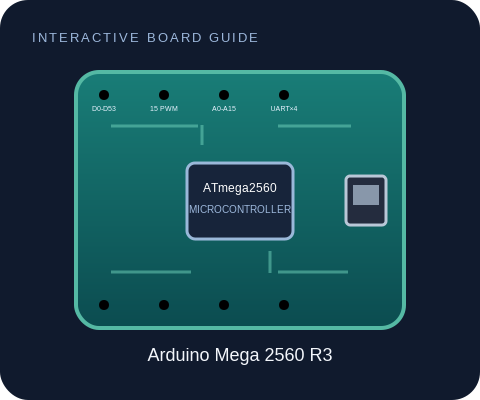
Arduino Mega 2560 R3 specifications
These core specifications help you decide whether the Arduino Mega 2560 R3 fits your robotics project. Compare processor speed, available memory, I/O count, analog support, wireless connectivity and logic voltage before choosing sensors or motor-control hardware.
| Microcontroller | ATmega2560 |
|---|---|
| Clock speed | 16 MHz |
| Flash | 256 KB |
| RAM | 8 KB |
| GPIO | 54 |
| Analog inputs | 16 |
| Wireless | None |
| Logic voltage | 5 V |
| Typical board price | ≈ $45 |
Arduino Mega 2560 R3 pinout and voltage guide
The Mega adds digital pins 22–53 and analog inputs A0–A15, plus four hardware UARTs on pins 0/1, 19/18, 17/16 and 15/14. I²C is on 20/21 and SPI is available on the ICSP header. The Mega places I²C on pins 20 and 21 and provides four hardware UARTs; reserve those shared functions before assigning pins to sensors and displays.
- 54 digital I/O pins; 15 support PWM
- 16 analog inputs for sensor channels
- Four hardware UART ports simplify module connections
- 5 V logic; external drivers are required for motors
Plan a wiring workflow for Arduino Mega 2560 R3
The Mega’s extra pins are most useful when treated as organized groups: reserve one header area for sensor inputs, another for motor-driver signals, and use labeled power and ground connections for modules. Serial ports 1–3 allow devices such as GPS, range finders or controllers to communicate without sharing the USB serial pins. I²C uses pins 20 and 21; SPI is on the ICSP header.
First project using Arduino Mega 2560 R3
A practical Mega project is a multi-joint robot arm with several servos, limit switches and a small display. The Mega supplies enough I/O to read controls and sensors while maintaining separate serial links to accessories. Servos still require an external power rail sized for their stall current; keep the grounds common and do not treat the Mega’s many pins as a high-current power source.
Arduino Mega 2560 R3 comparison and alternatives
Arduino Mega 2560 is the natural choice when an Uno or Nano runs out of pins, memory or hardware serial ports. It keeps a familiar 5 V Arduino workflow, but takes much more room and costs more. A wireless robot may be simpler with an ESP32, while a project that needs many wired devices and shield compatibility often benefits from the Mega. Compare Arduino Mega 2560 R3 with Arduino Uno R3.
Arduino Mega 2560 R3 troubleshooting
When a serial sensor prints corrupted data, verify its baud rate and connect it to the intended hardware UART instead of accidentally sharing the USB serial port. Large builds can also fail from voltage drop across long jumper wires. Check power at the module, use a suitable external supply and keep a shared ground; more available pins do not solve a power budget problem.
What can you build with Arduino Mega 2560 R3?
Pick the Mega when a robot has many sensors, servos, displays or independent serial devices. It is common in larger robot arms, CNC controllers and multi-module projects where the Uno runs short of pins.
Build a multi-servo robot arm with limit switches and a small display. Use the extra I/O for controls and status signals, then give the servos a separate supply rated for their load and join its ground to the Mega ground.
Arduino Mega 2560 R3 simulator: limits and safe wiring
The board is physically large and has no built-in Wi-Fi or Bluetooth. Its 5 V logic needs care with 3.3 V peripherals, and the added pins do not increase per-pin current limits; use driver circuits for motors and high-current loads. Mega 2560 R3 boards and compatible clones can differ in USB-interface components and connector details; verify the exact board revision before choosing drivers or a shield.
Explore this board in the Robotics Lab App
The free board explorer shows a rotatable 3D model with component labels. Open the full interactive Arduino Mega 2560 R3 lesson for board anatomy, quiz and assembly activities; the Uno R3 course is free, and a one-time course pass unlocks the other seven board courses.
Open Arduino Mega 2560 R3 in the 3D simulatorBrowse all eight Arduino, ESP32 and Raspberry Pi board guides