BOARD GUIDE · 3D ROBOTICS SIMULATOR
Raspberry Pi 4 Model B simulator and pin guide
Raspberry Pi 4 Model B is a single-board Linux computer rather than a microcontroller. Its quad-core processor, memory, USB, networking and desktop-capable operating system make it useful when a robot needs vision, a user interface or higher-level software.
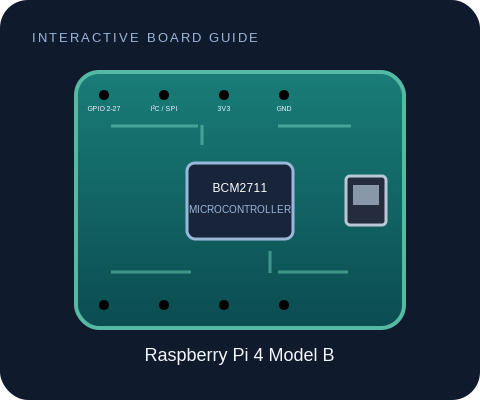
Raspberry Pi 4 Model B specifications
These core specifications help you decide whether the Raspberry Pi 4 Model B fits your robotics project. Compare processor speed, available memory, I/O count, analog support, wireless connectivity and logic voltage before choosing sensors or motor-control hardware.
| Microcontroller | BCM2711, quad-core Cortex-A72 |
|---|---|
| Clock speed | 1.5 GHz |
| Flash | microSD |
| RAM | 1–8 GB |
| GPIO | 26 |
| Analog inputs | None built in |
| Wireless | Wi-Fi 5 + Bluetooth 5 |
| Logic voltage | 3.3 V |
| Typical board price | ≈ $35–75 |
Raspberry Pi 4 Model B pinout and voltage guide
The 40-pin header exposes 26 GPIO with 3.3 V logic, plus power and ground. It has no built-in analog-to-digital converter; add an ADC for analog sensors. I²C, SPI and UART pins are shared functions, not separate dedicated headers. Raspberry Pi 4 has no built-in analog input, so analog sensors need an external ADC; its 40-pin header GPIO uses 3.3 V logic.
- 40-pin header with 3.3 V GPIO
- No built-in ADC; add an external converter
- Run Linux, camera and network software
- Pair with a microcontroller for real-time motor control
Plan a wiring workflow for Raspberry Pi 4 Model B
Raspberry Pi 4 runs Linux, so its GPIO is controlled through software libraries and the operating system rather than a deterministic bare-metal loop. The header has digital I/O and shared I²C, SPI and UART functions, but no analog inputs. Use an external ADC for analog sensors and confirm that every connected signal remains at or below the 3.3 V logic limit.
First project using Raspberry Pi 4 Model B
A camera-equipped rover can use Pi 4 for image capture, object detection, networking and a user interface. Pair it with an Arduino or Pico that handles encoder counting and motor timing, then send higher-level commands between the computers. This split keeps vision and planning on Linux while the microcontroller responds predictably to sensors and drivers.
Raspberry Pi 4 Model B comparison and alternatives
Unlike an Arduino board, Raspberry Pi 4 is a Linux single-board computer with USB, networking and substantial memory. It can run camera and robotics software but uses more power and is less suited to precise real-time pin timing. Pairing it with Pico or Uno gives a robot both high-level compute and dependable low-level control. Compare Raspberry Pi 4 Model B with Raspberry Pi Pico.
Raspberry Pi 4 Model B troubleshooting
If a sensor never produces values, check whether it is analog: Pi 4 has no built-in ADC, so an external converter and the correct bus wiring are required. If the Pi reboots when motors start, separate motor power from the computer supply and check the current budget. Use a driver board and common ground instead of connecting a motor to GPIO.
What can you build with Raspberry Pi 4 Model B?
Use Pi 4 as a robot’s main computer for camera processing, ROS experiments, network services and coordination with microcontrollers. A common design pairs it with a Pico or Arduino that handles precise low-level motor and sensor timing.
Build a camera rover prototype: use the Pi 4 for image capture and a high-level control interface, then send movement commands to a Pico or Arduino that reads encoders and controls the motor driver.
Raspberry Pi 4 Model B simulator: limits and safe wiring
GPIO is 3.3 V only and cannot directly drive motors. The Pi has no analog input, and Linux timing is not deterministic for tight control loops. Use a dedicated motor driver, suitable power supply and often a separate microcontroller. Raspberry Pi 4 revisions and memory configurations vary; check the model and RAM printed on the board before selecting power, enclosure and software setup instructions.
Explore this board in the Robotics Lab App
The free board explorer shows a rotatable 3D model with component labels. Open the full interactive Raspberry Pi 4 Model B lesson for board anatomy, quiz and assembly activities; the Uno R3 course is free, and a one-time course pass unlocks the other seven board courses.
Open Raspberry Pi 4 Model B in the 3D simulatorBrowse all eight Arduino, ESP32 and Raspberry Pi board guides