BOARD GUIDE · 3D ROBOTICS SIMULATOR
Raspberry Pi Pico simulator and pin guide
Raspberry Pi Pico is a low-cost microcontroller board built around the RP2040 dual-core chip. It offers flexible GPIO, generous SRAM and MicroPython or C/C++ development, making it a capable platform for real-time sensor and actuator projects.
Raspberry Pi Pico specifications
These core specifications help you decide whether the Raspberry Pi Pico fits your robotics project. Compare processor speed, available memory, I/O count, analog support, wireless connectivity and logic voltage before choosing sensors or motor-control hardware.
| Microcontroller | RP2040, dual-core Cortex-M0+ |
|---|---|
| Clock speed | 133 MHz |
| Flash | 2 MB |
| RAM | 264 KB |
| GPIO | 26 |
| Analog inputs | 3 (12-bit) |
| Wireless | None |
| Logic voltage | 3.3 V |
| Typical board price | ≈ $4 |
Raspberry Pi Pico pinout and voltage guide
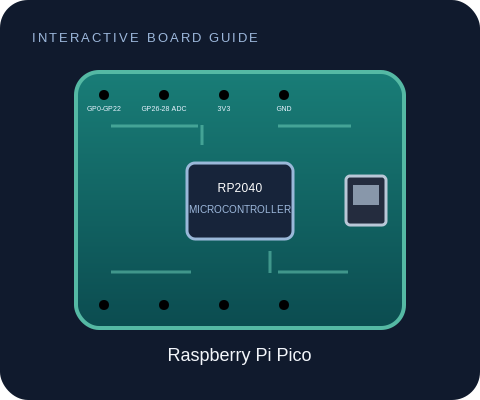
The Pico provides 26 multifunction GPIO, three ADC inputs on GP26–GP28, UART, SPI, I²C and PWM. The physical pin number and GP number are different, so use the official pinout when placing a circuit on the breadboard. Pico software uses GP identifiers while its header uses physical pin numbers; GP26–GP28 are analog inputs, so check both numbering systems when wiring.
- GP26–GP28 provide three 12-bit ADC inputs
- GPIO and power pins are 3.3 V
- Standard Pico does not include Wi-Fi
- MicroPython and C/C++ workflows are available
Plan a wiring workflow for Raspberry Pi Pico
Raspberry Pi Pico uses GP numbers in software and physical pin numbers on the header; those numbering systems are not interchangeable. GP26, GP27 and GP28 are the three ADC inputs, while UART, I²C and SPI functions can be assigned across suitable GPIO. The standard Pico has 3.3 V signals, and its GPIO should not receive a 5 V output from a sensor module.
First project using Raspberry Pi Pico
A Pico data logger is a useful way to practice sensor sampling: read an analog sensor on GP26, timestamp the measurement and send values over USB serial. For actuator work, use PWM to signal a driver rather than powering a motor directly from a GPIO pin. MicroPython makes quick experiments approachable, while C/C++ is available when you want a compiled embedded workflow.
Raspberry Pi Pico comparison and alternatives
Pico offers more RAM and flexible I/O than an Uno or Nano, but its standard model does not include Wi-Fi. ESP32 is the better pick for a connected robot, while Pico is compelling for low-cost wired control, MicroPython lessons and PIO experiments. A Raspberry Pi 4 can run Linux and camera software, but needs a microcontroller for precise low-level tasks. Compare Raspberry Pi Pico with ESP32 DevKit V1.
Raspberry Pi Pico troubleshooting
If a Pico does not appear as a USB drive for firmware installation, hold BOOTSEL while connecting USB and check the cable supports data. A sensor reading can fail if software uses a physical pin number where a GP number is expected. Also verify that an analog signal stays inside the board’s 0–3.3 V input range.
What can you build with Raspberry Pi Pico?
Try Pico for motor-control experiments, data logging, LED projects, robotics lessons and MicroPython prototypes. The RP2040’s programmable I/O blocks can also implement custom timing-sensitive digital protocols.
Build a sensor logger: sample an analog sensor on GP26, send readings over USB serial, and add a status LED on a separate GPIO. Then use PWM to signal a motor driver, keeping the motor supply outside the Pico GPIO power path.
Raspberry Pi Pico simulator: limits and safe wiring
The standard Pico has no wireless radio; wireless versions are separate models. GPIO is 3.3 V, and the board has no built-in analog output. Confirm physical pin numbers and power requirements before connecting sensors or drivers. The standard Pico and Pico W are different board variants; verify which one you have before following wireless, pinout or power instructions.
Explore this board in the Robotics Lab App
The free board explorer shows a rotatable 3D model with component labels. Open the full interactive Raspberry Pi Pico lesson for board anatomy, quiz and assembly activities; the Uno R3 course is free, and a one-time course pass unlocks the other seven board courses.
Open Raspberry Pi Pico in the 3D simulatorBrowse all eight Arduino, ESP32 and Raspberry Pi board guides